
Redact as a team, on the same project
Invite colleagues to a redaction project by email, set editor or viewer access, and work the same archive together in real time.
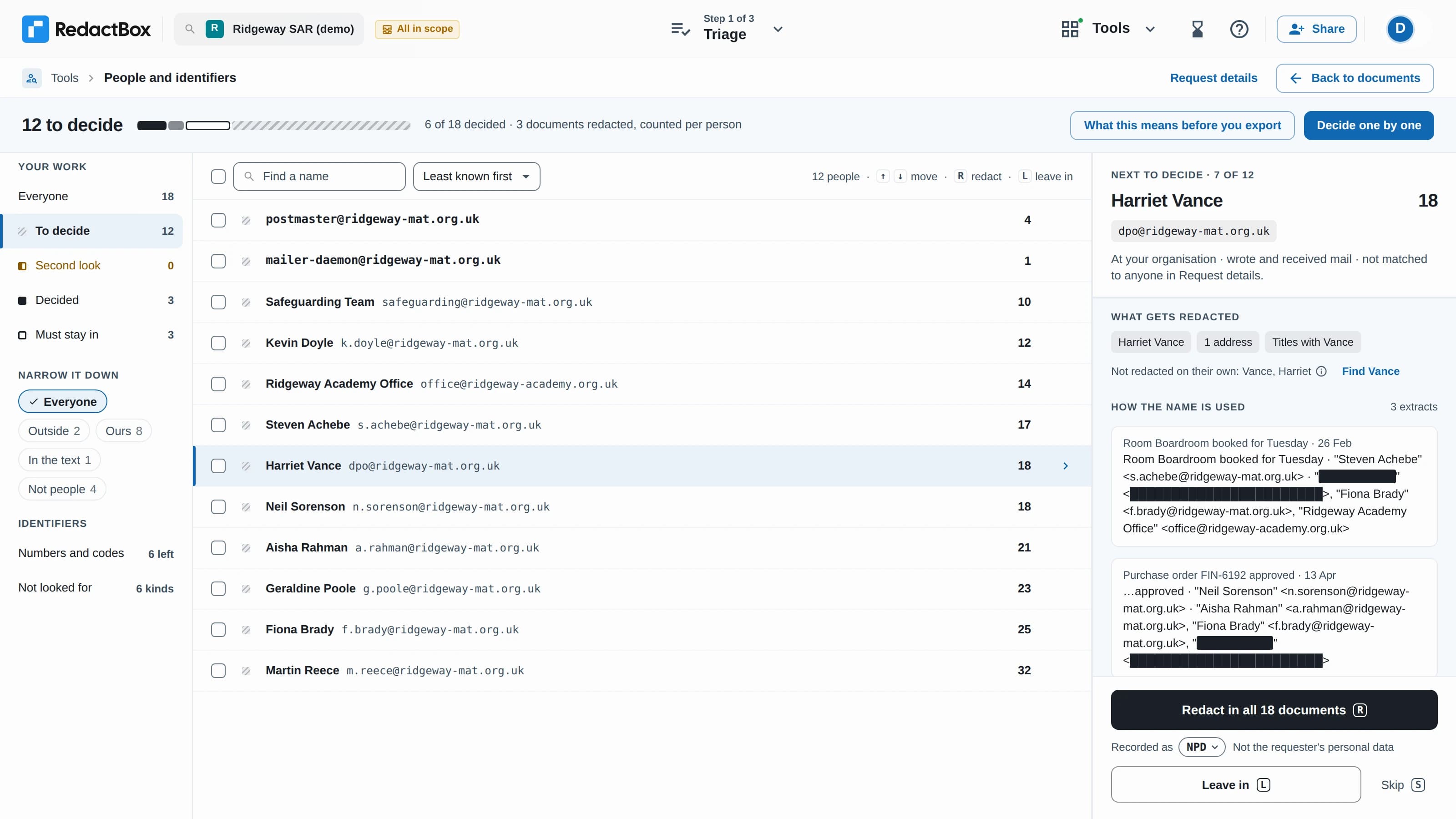
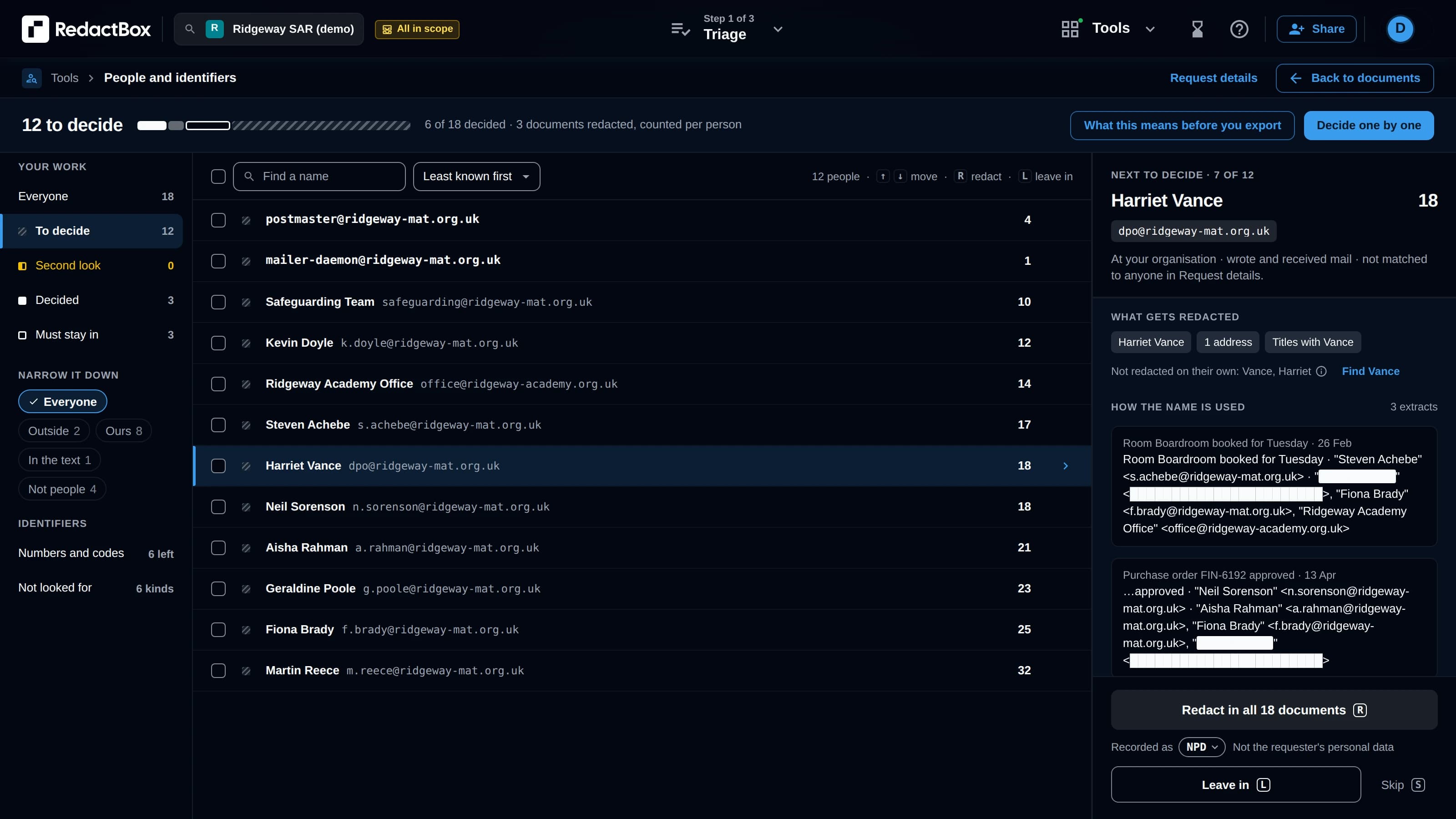
Up and running in three steps
Sharing is on Professional. Invite your colleagues, choose what each person can do, and start working the same archive together.
1
Invite by email
The project owner invites colleagues by email address. Each person must already have a RedactBox account, and a free one is enough to view.
2
Choose access
Set each person as an editor or a viewer. Editors do the work; viewers open and review read-only. Change or remove access at any time.
3
Collaborate
Everyone works the same archive. Split a large SAR or FOI review across the team and see who is doing what, live.
Editor or viewer: you decide
Give each colleague exactly the access they need. Reviewers can look without changing anything; redactors do the work.
Editor
Needs their own Professional subscription. Can do the full redaction workflow.
- Redact emails and documents
- Triage and status-tag the archive
- Upload new files to the project
- Export ZIP and PDF outputs
Viewer
Free with any RedactBox account. Read-only access to open and review the project.
- Open and read every item in the project
- Review redactions and triage decisions
- No redact, triage, upload or export
- Ideal for DPOs and reviewing colleagues
Everything a team needs to share the load
Editor access
Editors can redact, triage, upload and export. Each editor needs their own Professional subscription to do the work.
Viewer access
Viewers open and review the project read-only, with no redact, triage, upload or export. Free with any RedactBox account.
Real-time presence
See who is in a project right now and which item each person has open, so two people never redact the same email twice.
Transfer ownership
Hand a project over to a colleague when responsibilities change. The previous owner stays on as an editor.
Built for teams
Add up to 20 collaborators per project. Bring records, legal and DPO colleagues into the same workspace.
Compliant by default
UK / EU hosting and a full audit trail across every collaborator: who redacted what, and when, stays on the record.
Where shared projects pay off
Subject Access Requests (SAR / DSAR)
Split a large mailbox across your records team. One person triages, another redacts, and the DPO reviews as a viewer before release.
Freedom of Information (FOI)
Bring the team that holds the knowledge into the same project. Subject-matter colleagues review read-only while a redactor applies the exemptions.
eDiscovery and disclosure
Divide a custodian export between reviewers and give counsel viewer access to check the work without changing it.
Multi-academy trusts and shared services
Hand a project between schools or teams as a request moves through them, and transfer ownership without losing the history.
Questions
Bring your team into the project
Sharing is on Professional. Invite colleagues by email, set editor or viewer access, and split the redaction work across your team.