
Redact a Word document or PDF properly, with a reason for each redaction
An FOI reply, an HR file or a letter for a tribunal bundle. Add the file, mark what goes, and download a PDF nothing can be copied back out of. There is no project to set up.
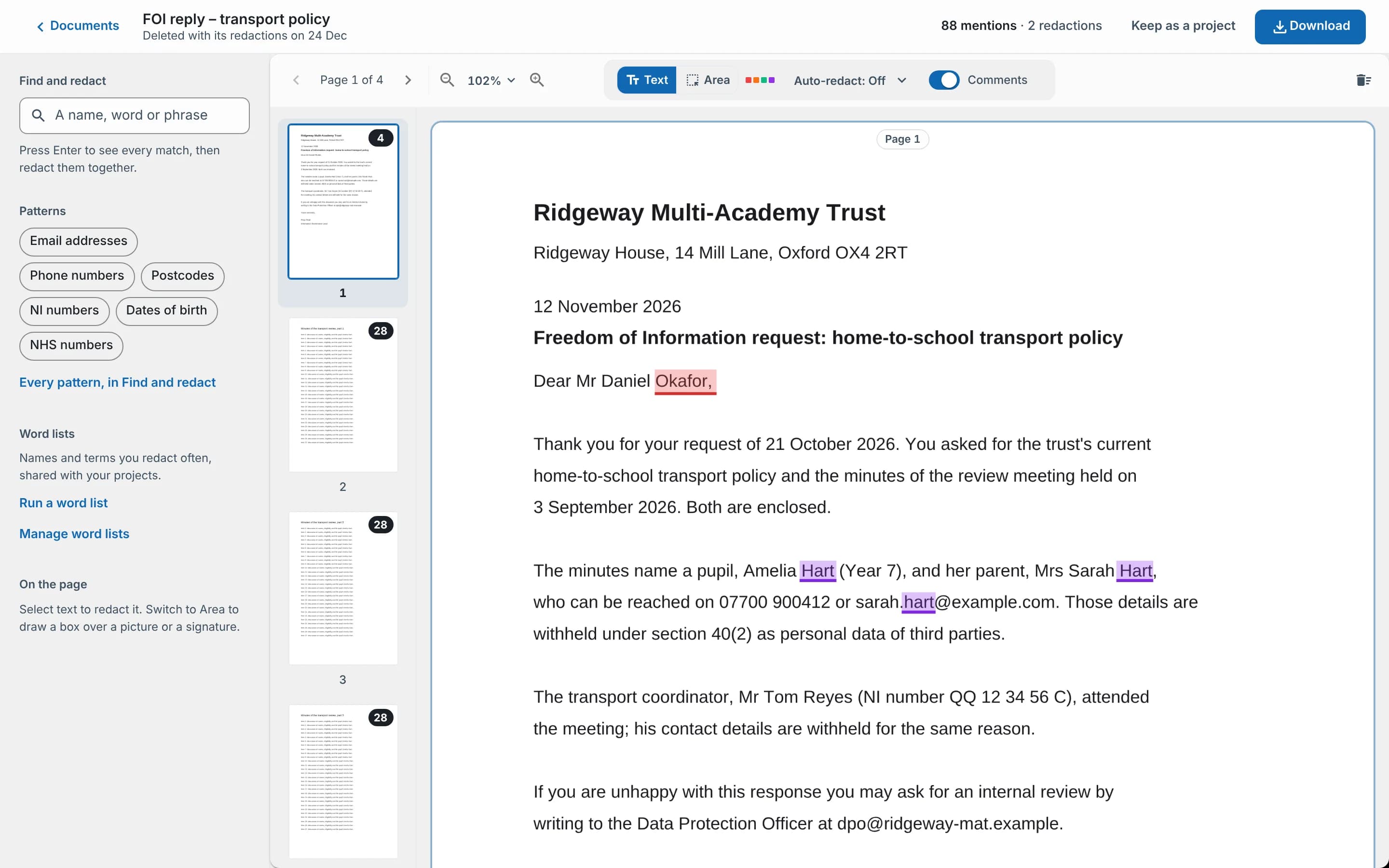
How to redact a document
1
Add the file
Drop in a PDF, or a Word, PowerPoint or image file, and it opens ready to redact.
2
Mark what goes
Select text, draw boxes, or find names and identifiers, each with a reason.
3
Download
A flattened PDF, with a schedule of redactions if you want one.
Every way to mark what goes
The same redaction tools as a RedactBox project, on one file.
How Find and redact worksSelect text or draw a box
Select words on the page to redact them, or switch to Area and draw over a signature, a photo or a scanned page.
Find and redact
Search for a name or phrase and redact every match at once, with the page each one is on.
UK patterns built in
Email addresses, UK phone numbers, postcodes, National Insurance numbers, dates of birth and NHS numbers.
Your word lists
Run the names and terms you redact often, from the same word lists as your projects.
A reason on every redaction
Each redaction carries a reason, such as third-party data, chosen as you redact.
Page previews
Every page is shown down the side with how many redactions are on it, so a missed page stands out.
A download you can send
A black highlight in Word or a PDF editor hides text on screen but leaves it in the file. RedactBox writes a new PDF instead.
Flattened, not covered
Redacted pages are flattened, so nothing under a box can be copied back out.
A schedule if you want one
Each redaction’s page and reason, never the redacted text.
Gone after 30 days
The document deletes itself with its redactions, unless you keep it as a project.
More than one file?
For a subject access request with a whole mailbox behind it, upload the export to a project instead. Keep as a project moves a document there too. Redacting a whole SAR. Want to try it free on one PDF? Redact a PDF online
Questions
Send the document, not what was under the box
Free for one document at a time. Professional and Plus hold up to 200.